Worktrees
Several branches of one repository checked out side by side, each in a folder and a window of its own.
A worktree checks out a branch of the same repository in a folder of its own. Its files, its staging and its HEAD are its own; the commits, branches, stashes and Recovery backups are shared. You can have two branches open at once — yours and an agent’s, or two of yours — without switching back and forth.
The Worktrees section
Worktrees, in the sidebar, lists every worktree of the repository, the
main one first, including the ones Claude Code and
Codex create. Listing them needs Git
2.36 or later.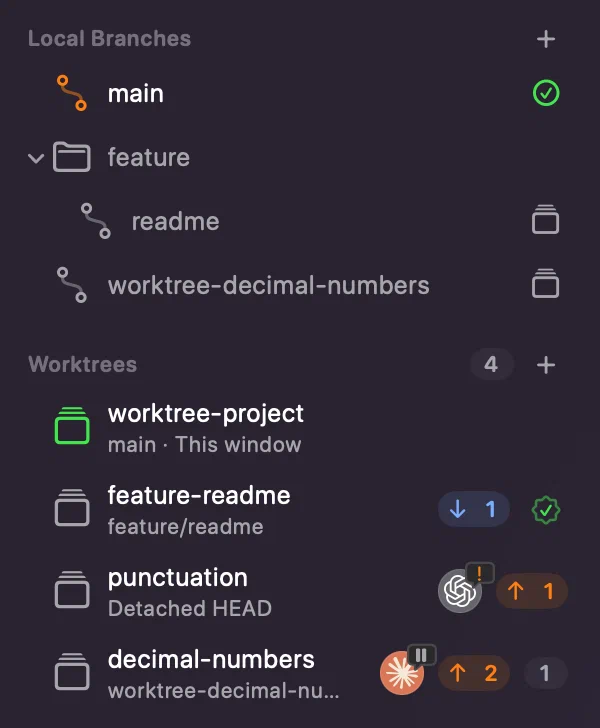
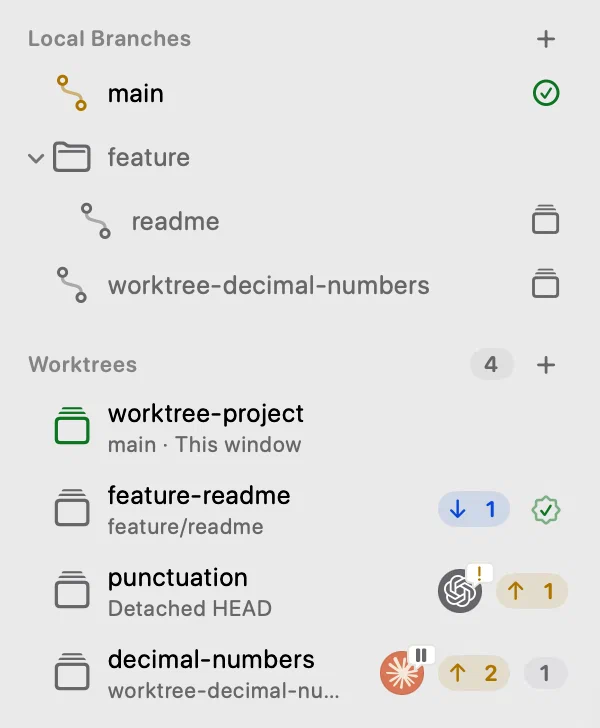
Each row shows the folder’s name and, under it, the branch, or Detached HEAD, Locked or Folder missing. The window’s own worktree adds This window. Every other row also shows:
- the files changed and not committed there, as a count;
- the commits ahead of and behind its base, the branch its work started from;
- a seal once all of its commits are in that base, squash merges included.
Innesta records the base when it creates the branch, and otherwise finds it as Git, the GitHub CLI or Visual Studio Code left it. Compared with, in Review Changes, sets another. The rows follow each worktree’s staging, commits and stopped merges while the window is in use.
Opening one
Click a row and the worktree opens in a window of its own, with its own Working Copy, staging and commits; if that window is already open, it comes forward. Open in This Window, in the row’s menu, switches the current window instead.
A local branch that another worktree has checked out carries the worktree symbol. Git checks a branch out in one place at a time, so double-clicking it opens that worktree rather than switching to it, and it cannot be deleted from here.
The row’s menu also has Open in Editor and Open in Terminal, listing the editors and terminals you have installed, Show in Finder and Copy Path.
What is still the command line
Locking, unlocking, moving, pruning and repairing a worktree are command-line work, and so is removing one whose submodules are initialised. History shows the whole repository in every worktree; its Reference filter narrows it to one branch.