Pipelines
GitHub Actions runs and GitLab pipelines: a run, its jobs, their logs, and stopping or re-running them.
The Pipelines section lists GitHub Actions workflow runs and GitLab pipelines for the repository. Innesta resolves each run’s commit in your own repository, so a run is identified by the subject and author of what it built rather than by a number.
Runs, stages and jobs load as you open them rather than all at once, and the section refreshes itself while you are looking at it.
A run
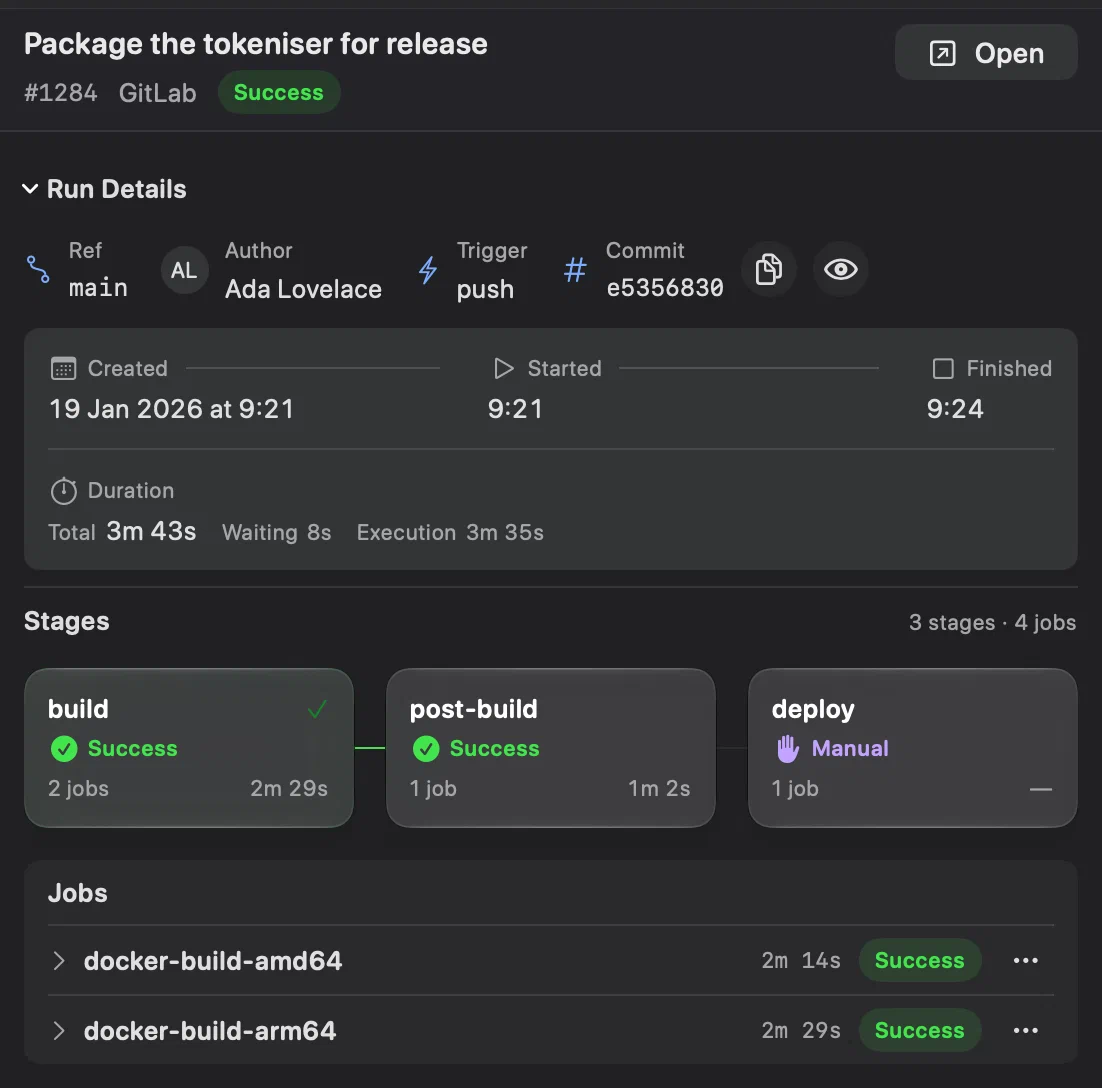
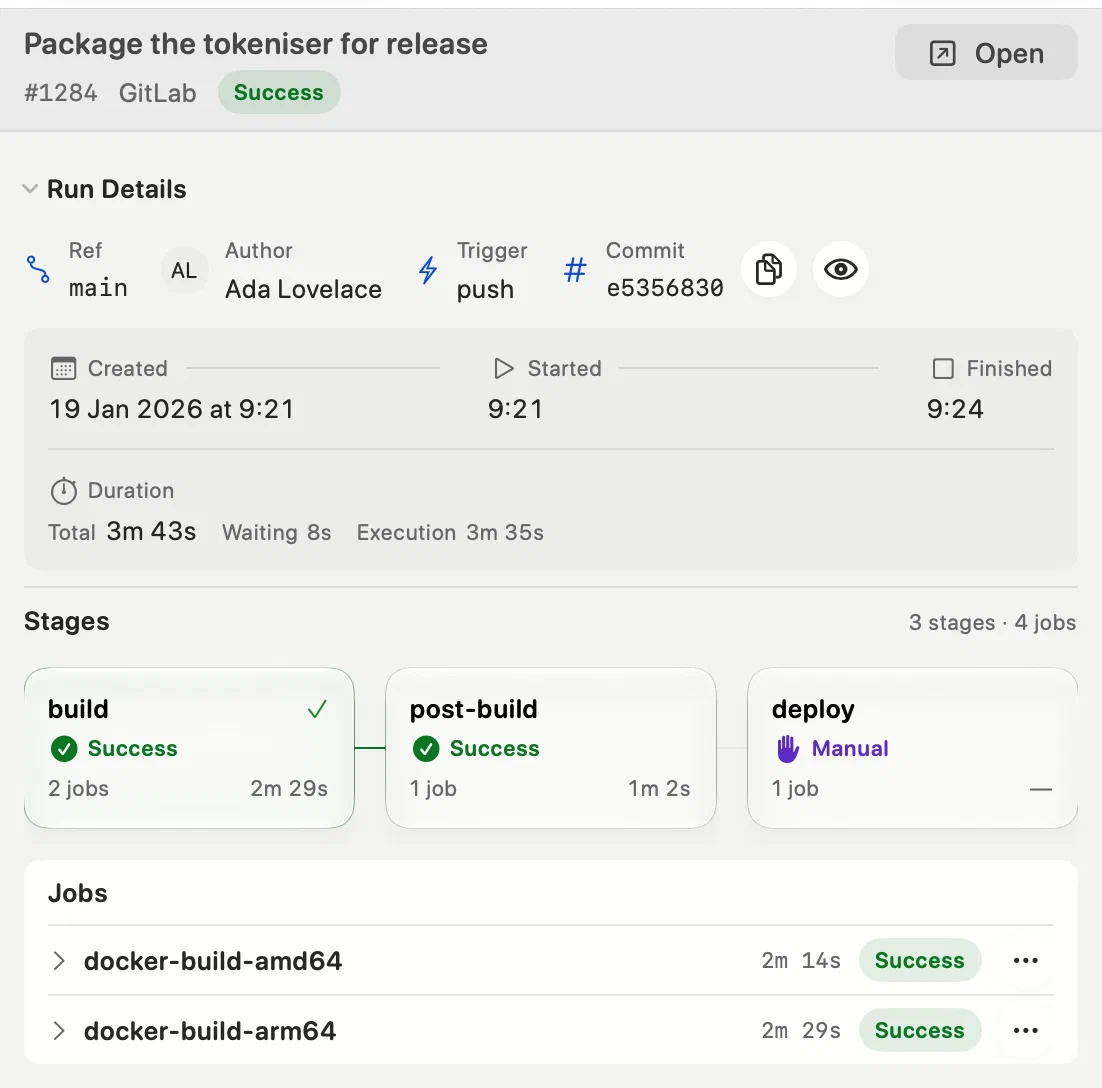
Run Details gives the branch or tag, who started the run and how, and its commit. Beside the commit, one button copies its full hash and Preview Commit shows its subject, author and changed files without leaving the section. In the preview, Show in History… selects the commit in History, clearing any filter that would hide it. A commit that is not in your clone yet cannot be previewed; the preview offers to open it on the provider instead, and Innesta does not fetch on its own.
Run Details also has the run’s timeline: when it was created, started and finished, and three durations — Total, from creation to the end; Waiting, before it started; and Execution, while it ran. While a run is going they count up every second.
Stages and jobs
On GitLab the run is its stages, in order. Each card has the stage’s status, how many jobs it has and how long it took; a stage that is running shows how many of its jobs have finished. Select a stage to list its jobs.
On GitHub there are no stages: the cards are the jobs themselves, joined
the way the workflow’s needs: joins them. See jobs and steps on
GitHub.
The job log
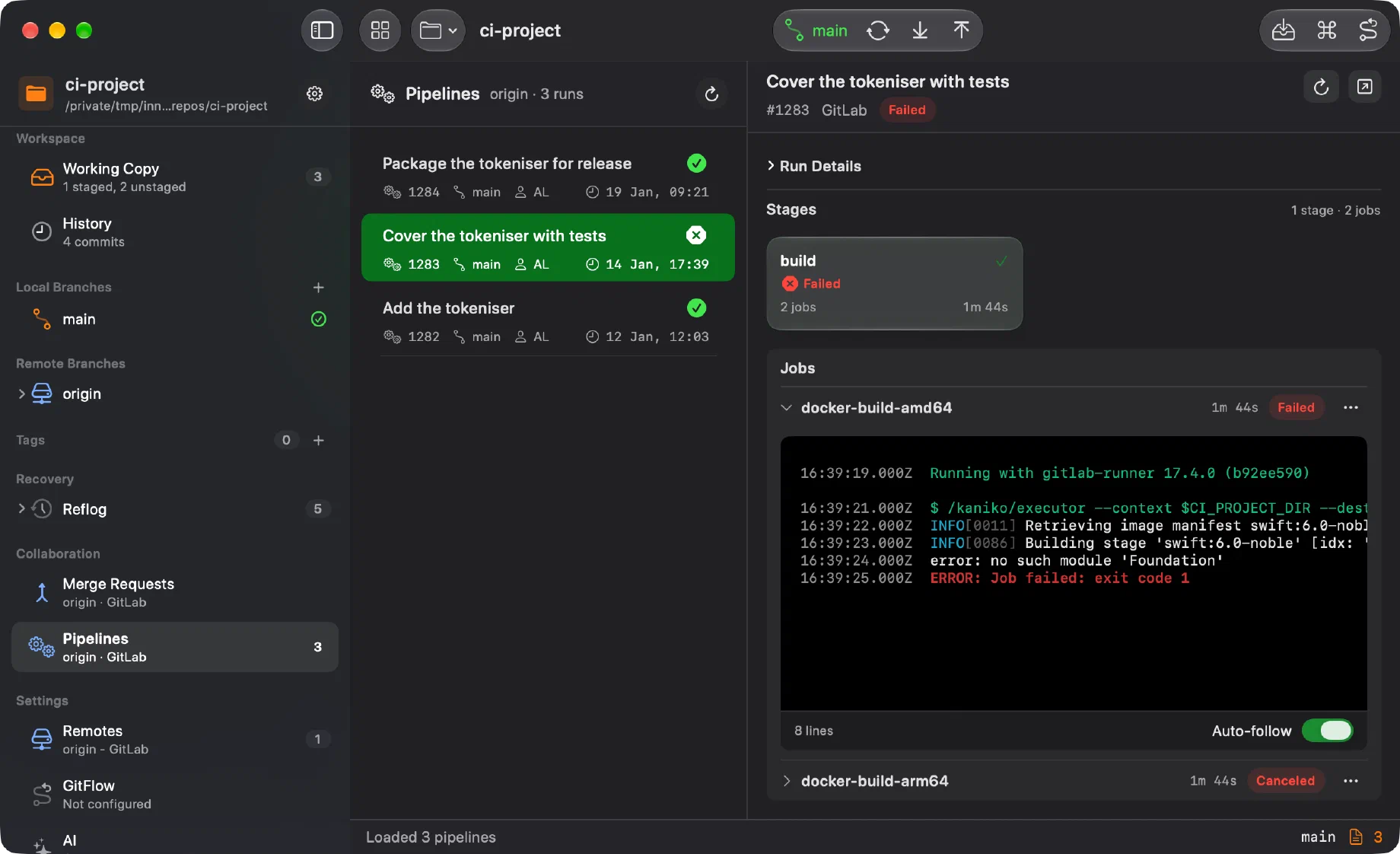
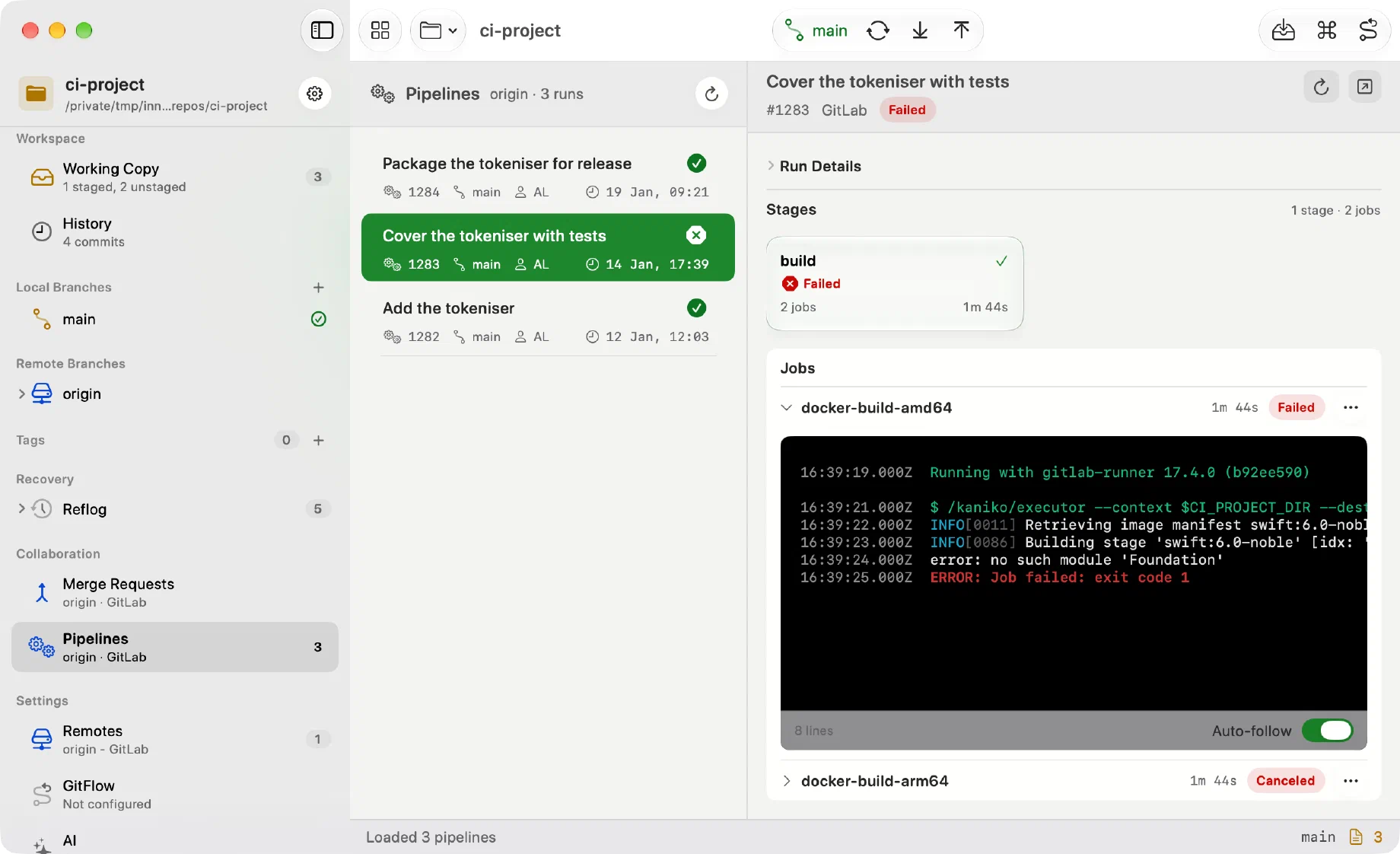
On GitLab, select a job to open its log under its row, before the next job; select it again to close it. The log of a job that is still running streams.
On GitHub, the selected job’s log is under the graph once the job has finished, whole or one step at a time.
What the log keeps, rather than flattening:
- terminal colours, so a failure is still red;
- timestamps, shortened to the time of day, with the full date in the tooltip;
- log levels.
A log opens at its end and follows it as it grows, for as long as you stay there. Scroll up and it stops; Auto-follow, in the bar under the log, turns it back on. A finished GitHub log opens at the top instead.
The macOS find bar searches it, and only its first 8 MiB are shown — a job that produces two hundred megabytes of output does not become the app’s memory problem.
Opening a log folds Run Details away to make room, and so does a window too short for both. It stays folded until you open it again.
Stopping and re-running
Beside the provider link, the run’s header has the action that fits the run: Stop Run… while it is going, a re-run once it has finished. When there are others, the arrow beside it lists them. The run’s context menu in the list has the same actions, and a job has its own, in its context menu and in the ⋯ menu on its row or above its log.
| GitHub | GitLab | |
|---|---|---|
| A run | Stop Run…, Re-run…, Re-run Failed Jobs | Stop Run…, Retry Failed or Canceled Jobs |
| A job | Re-run… | Stop Job…, Retry Job, Run Manual Job… |
| A stage | — | Re-run Stage Jobs, in its context menu |
On GitHub, re-running failed jobs, or one job, also re-runs the jobs that depend on them. A re-run uses the original commit and is offered for 30 days after the run; Re-run with Options… can turn on debug logging. If a run is still going after Stop Run…, Force Stop Run… appears.
On GitLab, Re-run Stage Jobs retries every job in the stage that can be retried, successful ones included. Run with Options… and Retry with Options… edit a manual job’s variables and the inputs a job declares. On a GitLab of your own, force stopping a job stuck canceling needs 17.11 or later, and job inputs need 18.10.
Stopping, and starting a manual job, ask first; a re-run starts at once. A run or job being stopped reads Canceling, and a note under the header follows the request until the run catches up. If the answer to a request is lost, Check Status reads the run again rather than sending it twice.
A GitHub run waiting for a deployment says which environments need an approval, or that it is waiting for a timer. Approving, like creating a pipeline or dispatching a workflow, stays on the provider.
An action needs write access: the api scope on GitLab, which a connection
made with read_api lacks until you reconnect,
and, for a GitHub token you made yourself, permission to write to Actions.
Which hosts
GitHub and GitLab, through their APIs, and only when the repository’s active remote is one of them.
Bitbucket and Azure DevOps are not supported here: there is no API lookup for them, only links.