Searching history
Search commit messages as you type, with filters for author, file, date and reference.
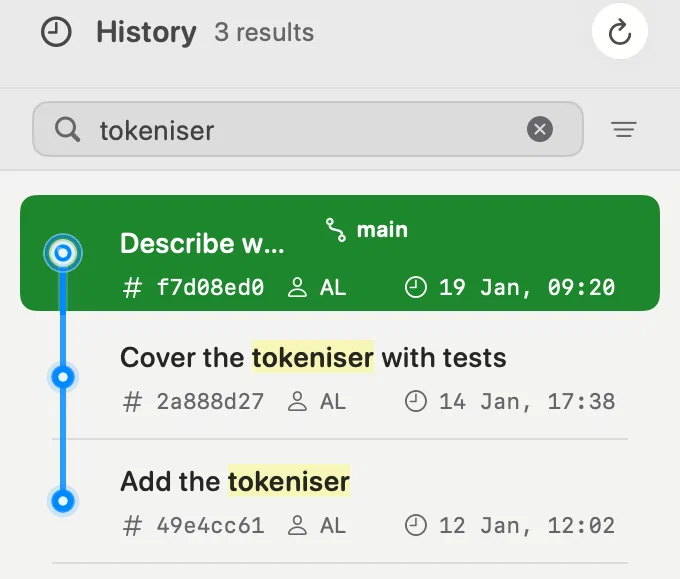
Type in the search field above the commit list. Results update as you type,
and the matching words are highlighted in commit subjects. From the commit
list, ⌘F moves focus to the search field.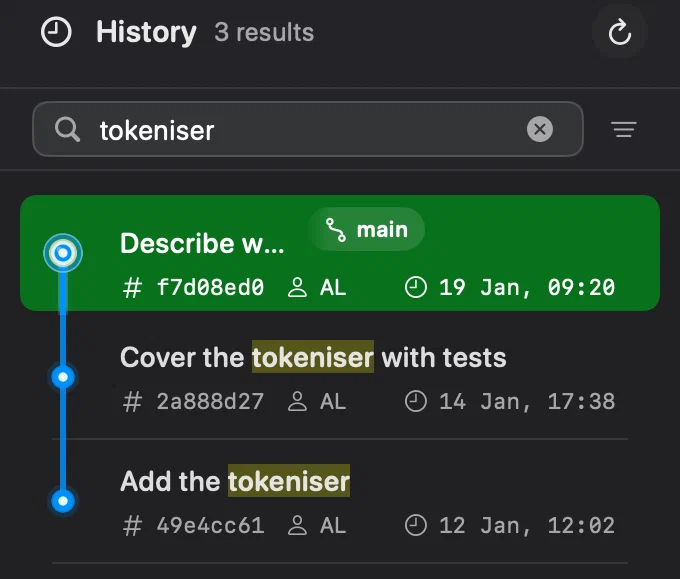
Full-text search
Every word you enter must occur in the commit message. A word can match the
start of a longer one: refac finds refactoring. Put words in quotation marks
to search for a phrase. Return runs the search immediately.
Innesta builds a local SQLite full-text index in the background. Until it
is ready, or if it is unavailable, git log answers the search instead. This
fallback can also match inside a word, so it may return a few extra commits.
The index lives in .git/innesta and is a cache in the ordinary sense of the
word: deleting it costs nothing but the time to rebuild it, and it never
contains anything that is not already in the repository.
Suggestions and filters
On macOS 15 and later, suggestions appear while you type. They offer message or file-name searches, authors, files, branches, tags and dates, plus commits by a hash prefix and word completions. Use the arrow keys to choose one and Return to accept it. With no suggestion selected, Return keeps a message search.
The filter button beside the field opens Filters. Its changes apply immediately and combine with the message search:
- Author — commits by one person.
- File path — commits that touched a file. Typing a name or path fragment finds matching paths; choosing a file suggestion uses its exact path.
- Reference — a local branch, remote branch or tag. Clicking one in the sidebar also scopes the history to it, without checking it out.
- Date — the author date shown on the commit row. Choose a period such as Last 7 Days, or Custom Range… for a range of whole days.
Active filters appear inside the search field. Open a filter’s menu to change it or choose Remove Filter. The clear button removes the text and filters; selecting History in the sidebar also returns to the complete history.
Spotlight
Innesta also keeps a named Spotlight index of the newest commits and of all branches, so a commit can be found from Spotlight without the app being open. Choosing a result opens Innesta at that commit.
It is on to begin with, and Show projects in Spotlight in General settings turns it off; removing a repository from the Projects list takes its entries out on their own. It is described in full under where your data goes.